
HuntWise: A Better Hunting App
Sportsman Tracker, Inc.Sports
4.23.22K Reviews
- Version
- 9.2.0
- Installs
- 1.00M
- Age Rating
- Everyone
Screenshots
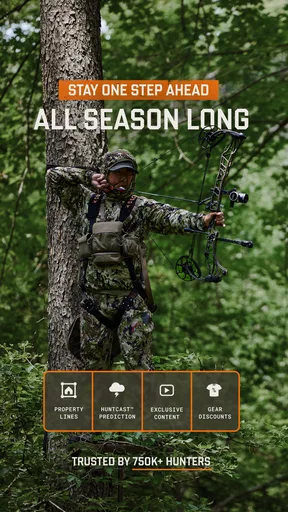
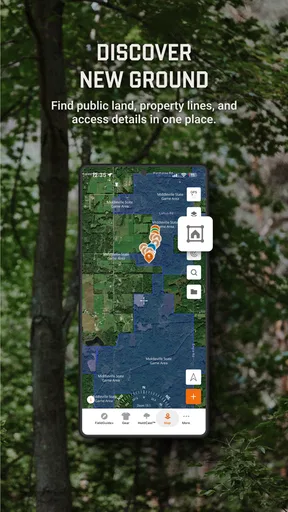
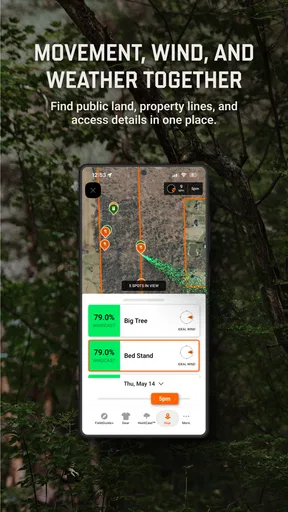
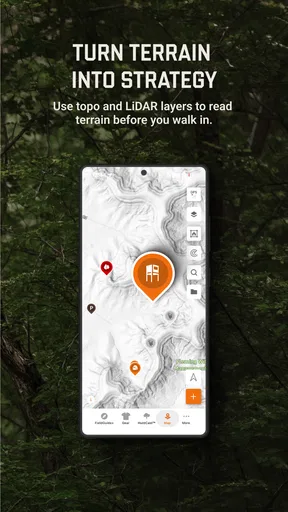
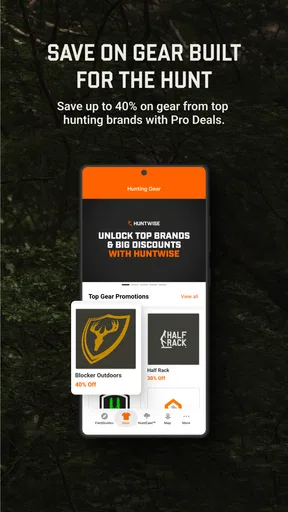
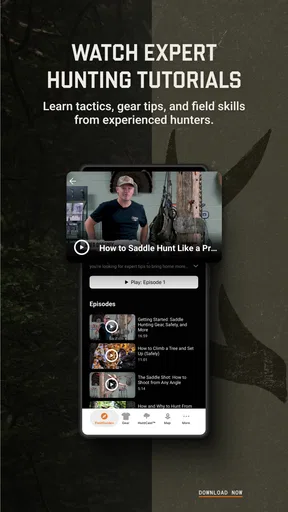
Our Review of HuntWise: A Better Hunting App
 Analysis by Appyee
I judge a hunting app less by how many tools it lists than by whether it helps me make a sound plan before I leave home and stay oriented once I’m outdoors. HuntWise is built around that practical job: it brings hunting conditions, maps, custom waypoints, weather, and GPS navigation into one place. I find that combination most useful when I’m preparing for a specific outing, not when I’m expecting a phone to make the decisions for me.
It’s a sports app from Sportsman Tracker, Inc., and it has been around since May 19, 2013. The current version is 8.3.7, with support starting at Android 8.0. That history suggests a product that has continued to be maintained, but a version number by itself doesn’t tell me exactly which features changed along the way. I’d treat the tools available in the current app as the evidence that matters, rather than assuming every older guide or conversation describes today’s experience.
What the current app is best at
The main appeal is having several kinds of planning information close together. A weather check can influence when I go; a map can help me understand the ground; a waypoint can mark a place I want to revisit; and GPS navigation can help me keep track of where I am. These jobs fit together naturally, especially when I’m scouting unfamiliar land or trying to make a short trip more deliberate.
HuntWise also presents suggested hunting times and locations. I see that as a planning aid, not a promise. A forecast can help narrow down when to pay attention, but local conditions, access, safety, and the behavior of the animals I’m pursuing still matter. I’d use a recommendation to shape a plan, then make the final call based on what I know about the place.
The app is free to install, and it is rated for Everyone. Its average rating is 4.2 from around 8,500 ratings, with roughly 3,200 written reviews and over 1 million installs. Those figures point to a well-used app, but they can’t tell me whether its particular maps cover the land I hunt or whether its paid tools suit my routine. I’d test the parts I care about before making it central to every outing.
Making the map work for your routine
Custom waypoints can be more useful than a crowded map if I give each one a clear purpose. Rather than dropping markers everywhere, I’d use a consistent approach: one for a parking or meeting point, another for a trail junction, and separate markers for places I want to inspect later. A simple naming habit makes the map easier to read when I’m outside and don’t want to stop and decode a long list.
For a new area, I’d look over the map at home, identify the route I expect to use, and save only the locations I may actually need. Then I’d check the route again before setting out and keep a backup plan in mind. A phone map is helpful, but it shouldn’t become my only way to understand where I am or how I’ll get back. Terrain, battery life, and signal conditions can all affect how useful a digital tool feels in the field.
There’s a subtle trade-off in putting maps, weather, waypoints, and recommendations together: the convenience can make me want to keep checking the screen. I’d rather use HuntWise to prepare, then look at it when I need a specific answer. That keeps the app in a supporting role and leaves more attention for the surroundings.
Who will get the most from it
I can see this working especially well for hunters who regularly plan trips, explore different areas, or want a single place for navigation and hunting conditions. It may also help someone who is still learning to organize a scouting routine: checking the forecast, choosing a route, and saving useful locations are concrete habits that make preparation less scattered.
By contrast, someone who hunts the same familiar spot and already has a reliable map and way of tracking locations may not need another planning app. A person who mainly wants a general weather forecast could also be better served by a simpler weather tool. HuntWise makes more sense when its hunting-specific planning and mapping are things the user will actually consult, rather than features that look appealing but go unused.
Costs, changes, and sensible expectations
The download is free, but in-app purchases range from $0.99 to $119.99 per item. That broad range makes it worth checking what a purchase unlocks and whether it matches how often I hunt before spending anything. I wouldn’t assume that every useful feature requires payment, nor would I commit to a higher-priced option simply because it sounds comprehensive. Start with the free experience, identify a specific limitation, and then decide whether a paid item addresses it.
The app’s long life and current version show that it has evolved beyond a one-off release, but I would separate that broad history from claims about particular updates. What matters to an existing user is whether the current tools fit their established routine. If an update changes the way a familiar map or planning workflow behaves, it’s sensible to review saved locations and settings before relying on them in an unfamiliar area. I’d also keep my own notes for important locations rather than treating any app as the only record.
For comparison, a basic map app may be enough for someone who only needs directions, while a separate weather app can be quicker for a simple forecast check. HuntWise has the stronger case when the same outing calls for hunting-oriented timing, saved field points, and navigation together. That convenience is its clearest advantage; it doesn’t remove the need to check land access, make safe choices, or use local knowledge. If those broader responsibilities are what a user needs help with, no planning app should be treated as a substitute for them.
A practical look at HuntWise
First things first, downloading HuntWise is a breeze. It's available on both Android and iOS, so no matter what device you're rocking, you're covered. Once it's installed, you're greeted by a clean and straightforward interface. No fuss, just the essentials laid out for you.
One of the first things I noticed was how intuitive the navigation is. The app is designed with hunters in mind, so everything you need is pretty much at your fingertips. From weather forecasts to location tracking, it's all there, ready to go whenever you are.
Features That Stand Out
Let's talk features, because HuntWise is packed with them. One of the standout features is the detailed weather forecasts. As any hunter knows, weather can make or break a trip. With HuntWise, you get accurate, up-to-date forecasts that help you plan your outing down to the last detail.
The app also offers a pretty cool feature called HuntCast. Think of it as your personal hunting guide, predicting the best times and places to hunt based on a variety of factors like weather patterns and game behavior. It's like having a seasoned hunter whispering in your ear, "Now's the time!"
Another feature that's worth mentioning is the mapping tools. These aren't just your average maps. HuntWise provides detailed topographic maps, property boundaries, and public land access points. It's incredibly useful when you're trying to navigate unfamiliar terrain or find that perfect spot.
Community and Collaboration
One of the things I love about HuntWise is the community aspect. The app allows you to connect with other hunters, share experiences, and even get tips and advice. It's like having a whole network of fellow hunters in your pocket. You can also log your hunts and keep track of your progress throughout the season.
Sharing your successes and learning from others adds a social element to the app that I found surprisingly engaging. It's not just about the hunt; it's about the shared experience and the camaraderie that comes with it.
Pricing and Subscription Options
Now, let's talk about the cost. HuntWise offers a free version, which is great for casual hunters or those just dipping their toes into the hunting world. However, if you want to unlock all the bells and whistles, you'll need to go for the Pro or Elite subscription. These give you access to premium features like HuntCast predictions and advanced mapping tools.
The subscriptions are reasonably priced, especially considering the wealth of information and tools you get. If you're serious about hunting, the investment is well worth it. Plus, you can always start with the free version and upgrade if you find yourself needing more.
Final Thoughts
So, is HuntWise worth downloading? In my opinion, absolutely. It's a comprehensive app that brings a lot to the table for hunters of all levels. Whether you're a seasoned pro or just starting out, there's something here for you.
The app's combination of practical features, community interaction, and intuitive design makes it a valuable tool in any hunter's arsenal. It's not just about making the hunt easier; it's about enhancing the entire experience. So, grab your gear, fire up HuntWise, and get ready for your next adventure. Happy hunting!
Privacy and Permissions
See what permissions an app requests and how it handles your data.
- Identity
- find accounts on the device
- Contacts
- find accounts on the device
- Location
- approximate location (network-based), precise location (GPS and network-based)
- Phone
- directly call phone numbers
- Photos/Media/Files
- read the contents of your USB storage, modify or delete the contents of your USB storage
- Storage
- read the contents of your USB storage, modify or delete the contents of your USB storage
- Camera
- take pictures and videos
- Wi-Fi connection information
- view Wi-Fi connections
- Other
- view network connections, full network access, run at startup, control vibration, prevent device from sleeping
Verdict
Strengths of HuntWise: A Better Hunting App
- Comprehensive mapping features.
- Real-time weather updates.
- Wildlife activity forecasts.
- User-friendly interface.
- Offline maps available.
Limitations of HuntWise: A Better Hunting App
- Limited free version features.
- Occasional GPS inaccuracies.
- Requires strong internet connection.
- Heavy battery usage.
- Subscription can be pricey.
Similar Picks in This Category
View All
BeSoccer: Soccer Live Score
BeSoccer apps4.3

Cricbuzz - Live Cricket Scores
Cricbuzz.com3.7

NFL
NFL Enterprises LLC2.4

Da Fit
MO YOUNG LIMITED3.6

ESPN
Disney4.5

LiveScore: Live Sports Scores
LiveScore Limited4.5
Frequently Asked Questions
What features does HuntWise offer for hunters?
HuntWise provides a comprehensive suite of features tailored for hunters, including advanced mapping tools, weather forecasts, and solunar calendars. It offers real-time wind direction tracking, property boundaries, and detailed topographic maps. The app also includes a community feature for sharing tips and experiences with fellow hunters, enhancing your hunting strategy.
Is HuntWise available for both Android and iOS devices?
Yes, HuntWise is available for download on both Android and iOS platforms. You can find it on the Google Play Store for Android devices and the Apple App Store for iOS devices, ensuring a broad compatibility across different smartphones and tablets for all hunting enthusiasts.
Does HuntWise require a subscription for full access?
HuntWise offers both free and premium subscription options. While the free version includes basic features, subscribing to the premium version unlocks advanced tools like property data, peak hunting times, and more detailed satellite imagery. The premium subscription enhances the overall hunting experience with additional insights and tools.
How accurate are the weather and solunar forecasts in HuntWise?
HuntWise utilizes reliable sources to provide accurate weather forecasts and solunar data, which are crucial for planning successful hunting trips. The app updates its data regularly to ensure hunters have the most current information on weather conditions and animal activity patterns, helping you make informed decisions.
Can I use HuntWise offline in remote areas?
Yes, HuntWise offers offline capabilities. You can download maps and essential data beforehand, allowing you to access them without an internet connection. This feature is particularly useful in remote areas where connectivity is limited, ensuring you always have access to critical hunting information when you need it most.
